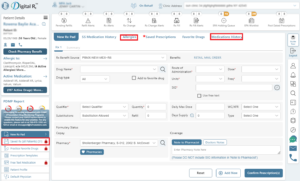
what can be accessed by each profile
What can be accessed by each profile?
In H2H DigitalRx, we have prescribing and Non prescribing profiles.
What services can prescribers access?
Prescribers have direct access to all services and can prescribe on behalf of other prescribers if authorized.
| Services | New Rx | Refills | EPCS | On Behalf (NewRx) | On Behalf (Refill) | Edit Patient Medication History | Save Prescription | Print Reports | Edit Patient Allergy |
| Physician | Yes | Yes | Yes | Yes | Yes | Yes | Yes | Yes | Yes |
| Nurse Practitioner | Yes | Yes | Yes | Yes | Yes | Yes | Yes | Yes | Yes |
| Physician Assistant | Yes | Yes | Yes | Yes | Yes | Yes | Yes | Yes | Yes |
| Provider Nurse Practitioner | Yes | Yes | Yes | Yes | Yes | Yes | Yes | Yes | Yes |
| Provider Physician Assistant | Yes | Yes | Yes | Yes | Yes | Yes | Yes | Yes | Yes |
What services can Non prescribers access?
For non-prescribers, some services can be accessed directly, while other services require authorization from prescribers to be used.
| Services | New Rx | Refills | EPCS | On Behalf (NewRx) | On Behalf (Refill) | Edit Patient Medication History | Save Prescription | Print Reports | Edit Patient Allergy |
| Provider Agent Nurse | No | No | No | Yes | Yes | Yes | Yes | Yes | Yes |
| Clinical Staff Nurse | No | No | No | Yes | Yes | Yes | Yes | Yes | Yes |
| Clinical Staff Medical Assistant | No | No | No | Yes | Yes | Yes | Yes | Yes | Yes |
| Non-Clinical Staff Front Desk Staff | No | No | No | Yes | Yes | No | No | No | No |
Specifically, Provider Agent Nurses, Clinical Staff Nurses, and Clinical Staff Medical Assistants can directly access Medication History, Save Prescriptions, Print Reports, and Allergy Information. Non-clinical Front Desk Staff are exempt from these services and are not allowed to use them directly. However, they can access these services if authorized by a prescriber who enables each service for them.